Prices change. Recipes drift. Counts take hours. None of it shows up until the P&L closes.
Restaurant365 connects your POS, recipe costs, and purchasing data so you can see where food cost is moving, by item and by location, while there’s still time to do something about it, instead of finding out when the period closes.
By providing a telephone number and submitting the form you are consenting to be contacted by SMS text message. Message & data rates may apply.
Trusted by 50,000+ restaurants including
The Food Cost Problem
Perfect food cost visibility. One period too late.
Most operators know their food cost percentage when the period closes. What they don’t know yet is where it moved: a vendor changed a price mid-contract, a recipe hasn’t been repriced since ingredient costs rose, a count took three hours and still only shows what’s on the shelf right now.
By the time it shows up on the P&L, the window to act on it is gone. Restaurant365 connects Inventory, Recipe Costing, and Purchasing so that price changes, recipe cost, and count data all flow into one place, surfacing where cost is moving, by item and by location, while it’s still small enough to fix.
Today
A vendor changes a price mid-contract; you find out when the invoice lands in AP
Recipe costs were set months ago and haven't been revisited
A manual count takes hours and tells you what's on the shelf right now
An invoice doesn't match the PO, and nobody catches it until it's paid
Food cost hits the P&L already baked in
With Restaurant365
Recipe cost updates the moment the price change is invoiced
Recipe Costing stays tied to live ingredient prices
Mobile counts show where cost moved, by item and by location
Purchasing flags the discrepancy at the moment of receipt
Clean cost data flows to a live COGS number on the P&L
What you get
Inventory. Recipe Costing. Purchasing. Connected.
See where cost is moving, while there's still time to fix it.
R365 Inventory connects directly to your POS, so sales data feeds your cost tracking automatically. No manual reconciliation, no waiting on someone to pull a report. Just a live number, broken out by item and by location.
BRG Hospitality took food cost from 30% to 25% using R365 Inventory.
Recipe cost updates the moment a vendor's price changes.
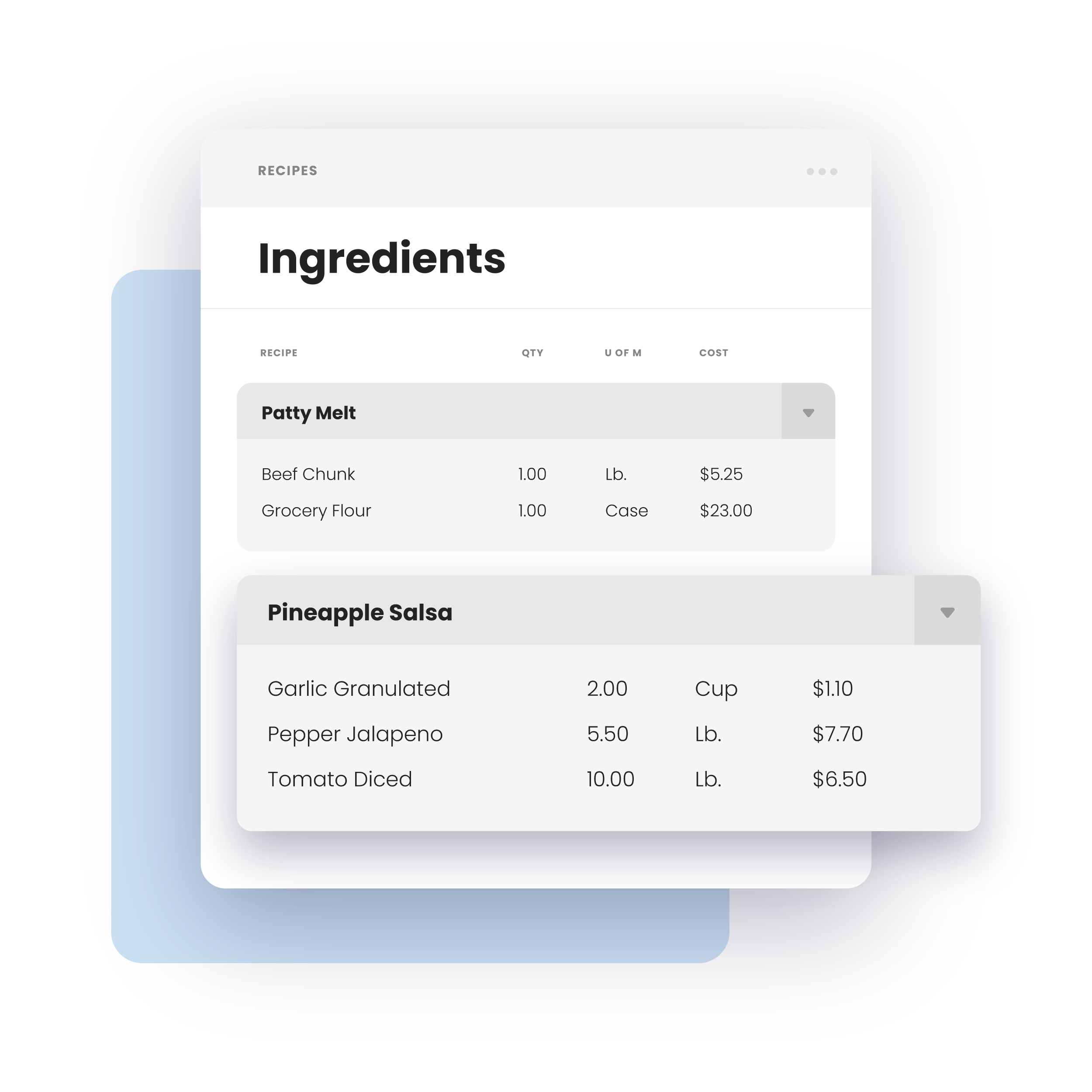
Recipe Costing stays tied to live ingredient prices, so when a vendor changes a price mid-contract, it flows into your recipe cost right away, not eighteen months from now when someone finally gets around to revisiting the spec.
Invoices captured and coded automatically
Routed for approval with a clear audit trail
Price and quantity discrepancies flagged before approval, not after
Felipe’s Mexican Taqueria brought CoGS from 28% to 23% using recipe- and ingredient-level costing in R365.
Catch the discrepancy before it's absorbed.
Purchasing reconciles every vendor invoice against the purchase order at the moment of receipt, flagging price differences, short shipments, or substitutions before they quietly become part of your food cost.
Maru Hospitality Group saw $1.2M in total impact: $500K in food cost reduction plus $700K in sales increase.
The connected advantage
Four gaps. One connected platform.
A standalone inventory tool counts better than a clipboard. But if it isn’t connected to your POS, purchasing, and recipes, it can only tell you what’s on the shelf, not where your cost picture is incomplete.
Inventory
Closes the gap between what happened in the kitchen and what it cost
Recipe Costing
Closes the gap between what sold and what it should have cost to make
Purchasing
Closes the gap between what was ordered, received, and invoiced
Accounting
Clean cost data flows to a live COGS number, right on the P&L
Getting Started
Live in weeks, not months
01
Demo Your Food Cost Data
See R365 with your own POS, vendors, and recipes.
WEEK 1
02
Connect POS & Vendors
Sales data and invoices start flowing in automatically.
WEEK 2-3
03
Activate Recipe Costing & Purchasing
Recipes tie to live prices; invoices reconcile against POs.
WEEK 3-4
04
Go live
Clean cost data flows straight through to Accounting.
LIVE
Ready to see R365?
Stop finding out about your food cost after the period closes.
See how Inventory, Recipe Costing, and Purchasing work together to show you where cost is moving before it’s locked into the P&L.